 Jotter
 Save it once, understand it later, with the sources still attached.
Jotter is a private inbox for the things you meant to come back to. One gesture from Safari or any social app captures it, then Jotter reads it, cites it, and turns a week of saves into a briefing you can actually get through: written or spoken, always traceable back to where it came from.
A private inbox, not a feed: data hosted in the EU/EEA, exportable and deletable on request.
Saving isn't the hard part. Coming back to it is.
Every fix so far just moves the pile somewhere else.
Opening everything "to read in a minute" wrecks the browsing session you were actually in.
Bookmarks and read-it-later apps just relocate the backlog. Nothing connects one save to the next.
Article-by-article TTS reads text aloud. It doesn't reason across five sources or tell you where a claim came from.
Posts get edited, deleted, or paywalled. Without a snapshot at capture time, the context is gone for good.
Capture now. Understand on your schedule.
Four steps, almost all of them invisible to you.
Share
From Safari or any app with a Share sheet, tap Jotter. It saves and closes: no tab, no context switch.
Fetch & snapshot
Jotter retrieves the page, keeps a verifiable snapshot, and extracts the real text, never guessing at content it couldn't reach.
Cluster & cite
Related saves group by topic automatically. Every factual paragraph in the output points back to a specific source passage.
Read or listen
Get a written dossier or a private audio briefing with chapters, on a schedule or whenever you ask.
Built around proof, not just summaries
The parts of the mechanism that a briefing tool can't fake.
Paragraph-level citations
Every claim links to the exact source snapshot used, not just today's URL, which may have already changed.
Screenshot fallback, honestly labeled
When an app won't share a link, a screenshot becomes evidence: OCR'd, marked partial, never dressed up as the full page.
One continuous inbox
No notebooks to create, no folders to pick up front. You save; Jotter organizes; you can always correct it.
Disagreement stays visible
When sources contradict each other, the briefing says so; it doesn't quietly pick a winner.
EU-first by architecture
Primary data, backups, and processing are designed to stay in the EU/EEA, with export and deletion as core features.
Open, not locked in
An open API is on the roadmap, with the eventual option to point Jotter at a backend you control.
| Tool | Strong at | Where Jotter differs |
|---|---|---|
| Cubox | Capture, snapshots, AI library search, podcast-style briefings | Proprietary service: Jotter focuses on transparent automation, provenance, an open API, and data control |
| NotebookLM | Multi-source analysis, cited reports, Audio Overviews | Notebooks are managed manually; Jotter's inbox organizes and generates on its own |
| ElevenReader | High-quality generative audio and podcasts | Less built around a continuous inbox, provenance, and incremental dossiers |
| Readwise Reader | Capture, parsing, annotation, TTS | Primarily a reading environment; Jotter is built to reduce reading, not organize it |
| Matter / Instapaper | Read-later experience, article narration | Limited automatic synthesis across multiple sources |
See Jotter on iPhone and iPad.
Your saved content comes first. Explore its topics and open the details when you need them.
Captured from the running app with illustrative content. Select a screenshot to view it at full size.
Content comes first
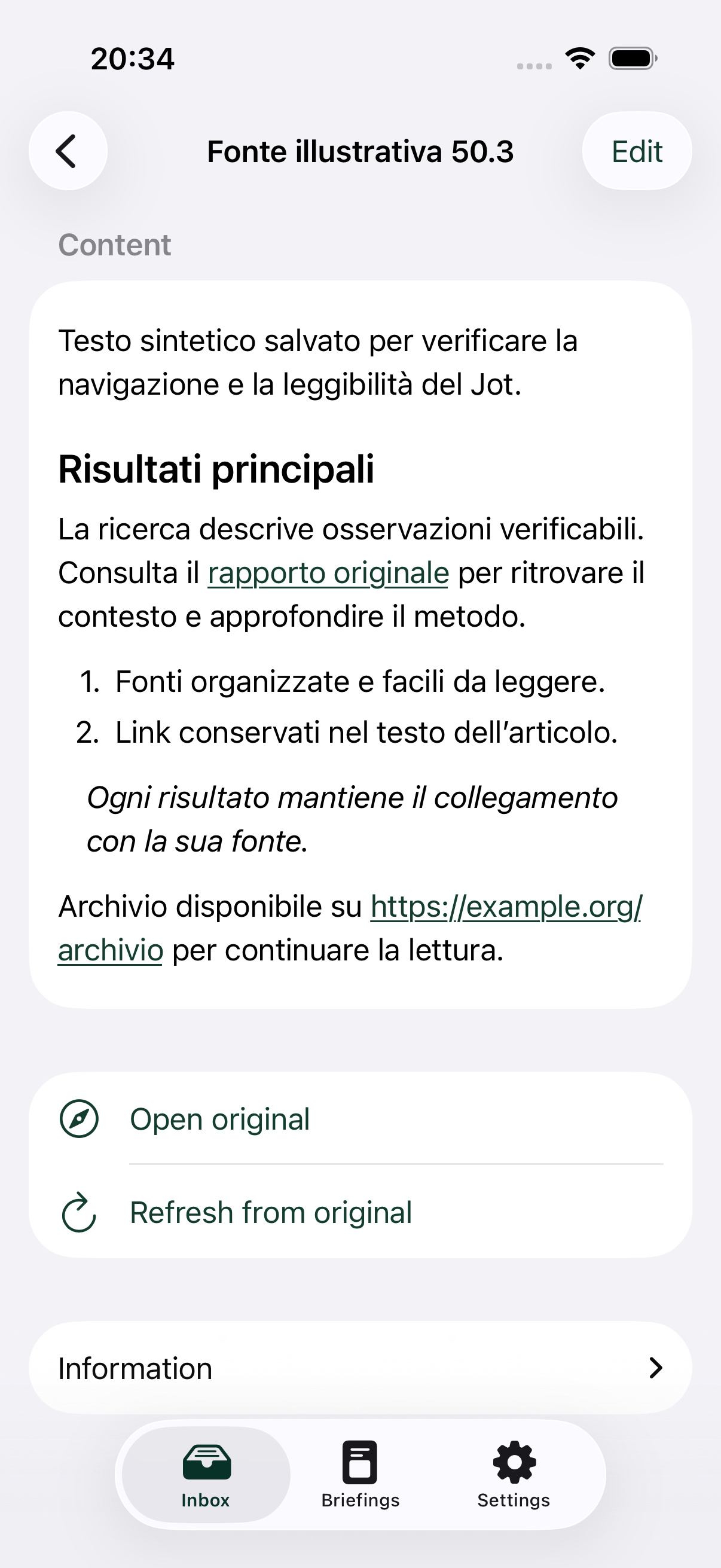
Headings, lists and links stay with your saved text. Start reading as soon as you open a Jot.
View reading screen at full size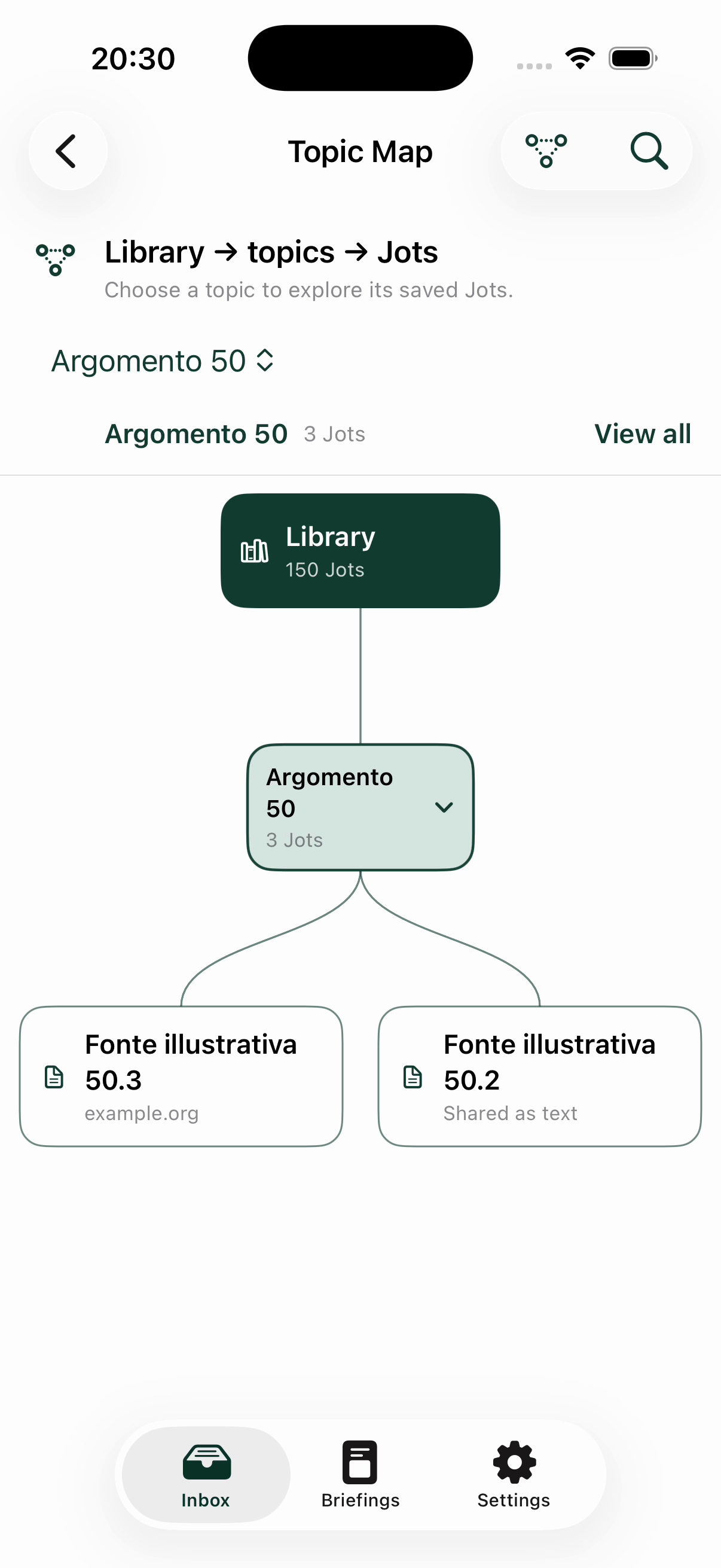
Follow a topic
Explore the library by topic and open the saved Jot you want to read.
View topic map at full size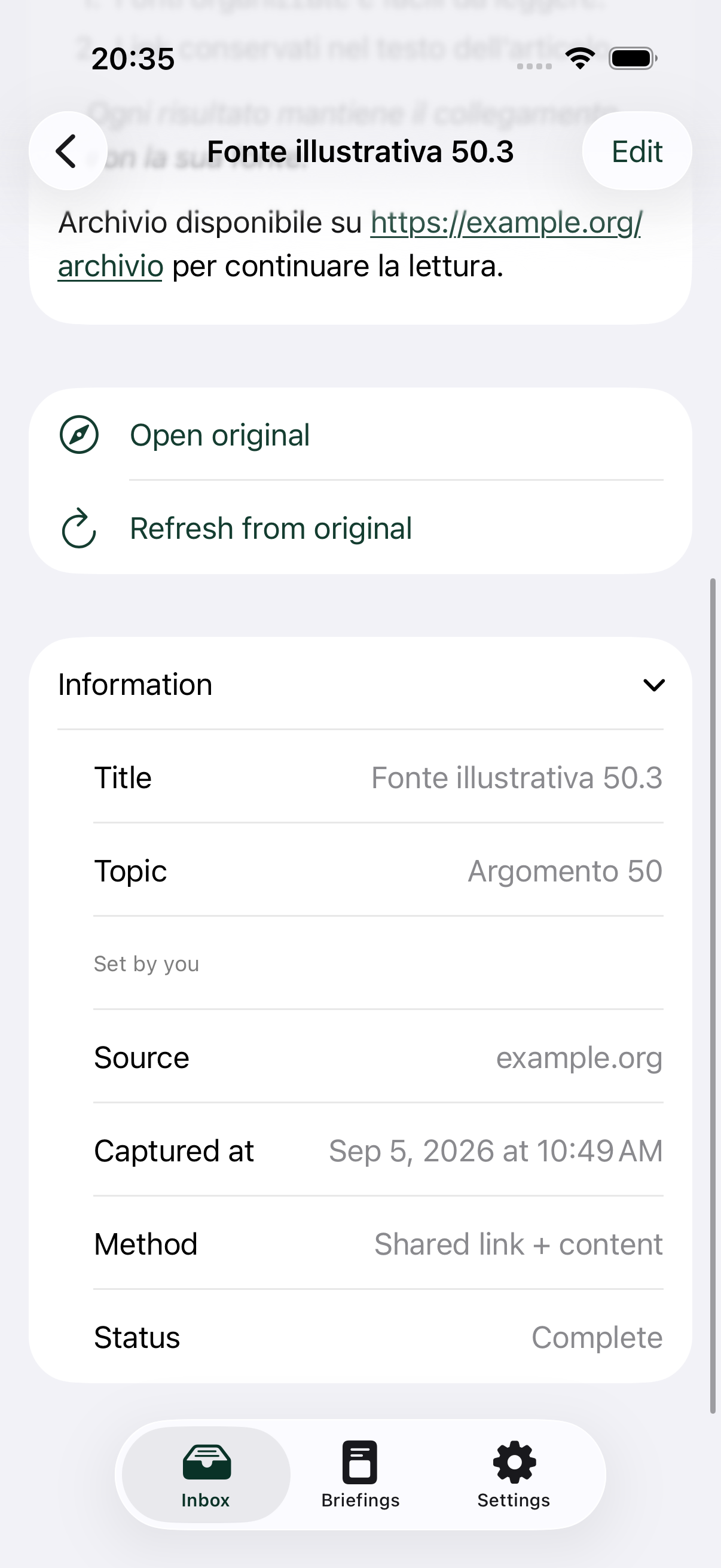
Details when you need them
Source, date and capture status sit in Information, collapsed when a Jot opens.
View capture details at full sizeMore room for your sources
The iPad layout keeps navigation alongside your article. Read the saved content, follow its links and expand the source information below.
View iPad screen at full size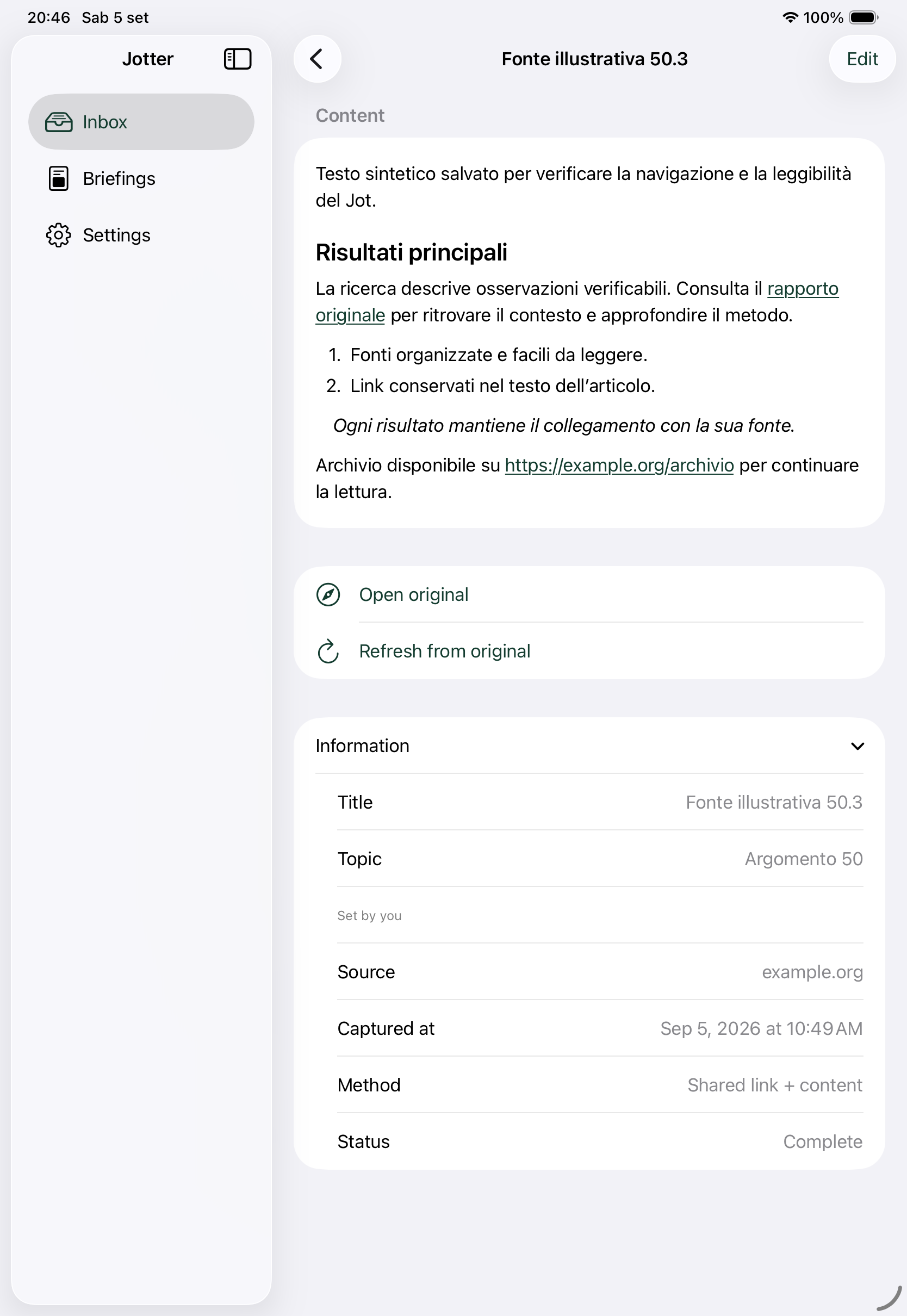
Designed against EU rules from day one, not patched in later
This is a product requirement, not a legal afterthought.
Data stays in the EU/EEAProduction, backups, and disaster recovery are designed to run in EU/EEA regions.
Real data rightsAccess, correction, export, and deletion are core functions, routed and trackable rather than handled as a support ticket.
Clear AI labelingGenerated summaries and audio are disclosed as AI output, with sources kept distinct from inferences.
Nothing extra by defaultLocation, analytics, and any optional data use start switched off until you turn them on.
Request an invite to the private beta
We're onboarding a small group of early users before a public release. No spam, no list sales.
"Jotter" is a working name pending trademark clearance; your invite carries over if it changes.